LaunchBox is Windows-only · NostalgiApp is the Mac alternative
LaunchBox for Mac.
It's NostalgiApp.
You searched for "LaunchBox for Mac." Here's the honest answer: LaunchBox itself doesn't exist on Mac — it never has, and the developers have stated they have no plans to port it. NostalgiApp is the native macOS equivalent, built specifically for Mac users who want what LaunchBox does on Windows: a single app to import, organize, and launch retro games across DOS, ScummVM, RetroArch, MAME, and 60+ console platforms.
The honest one-line answer
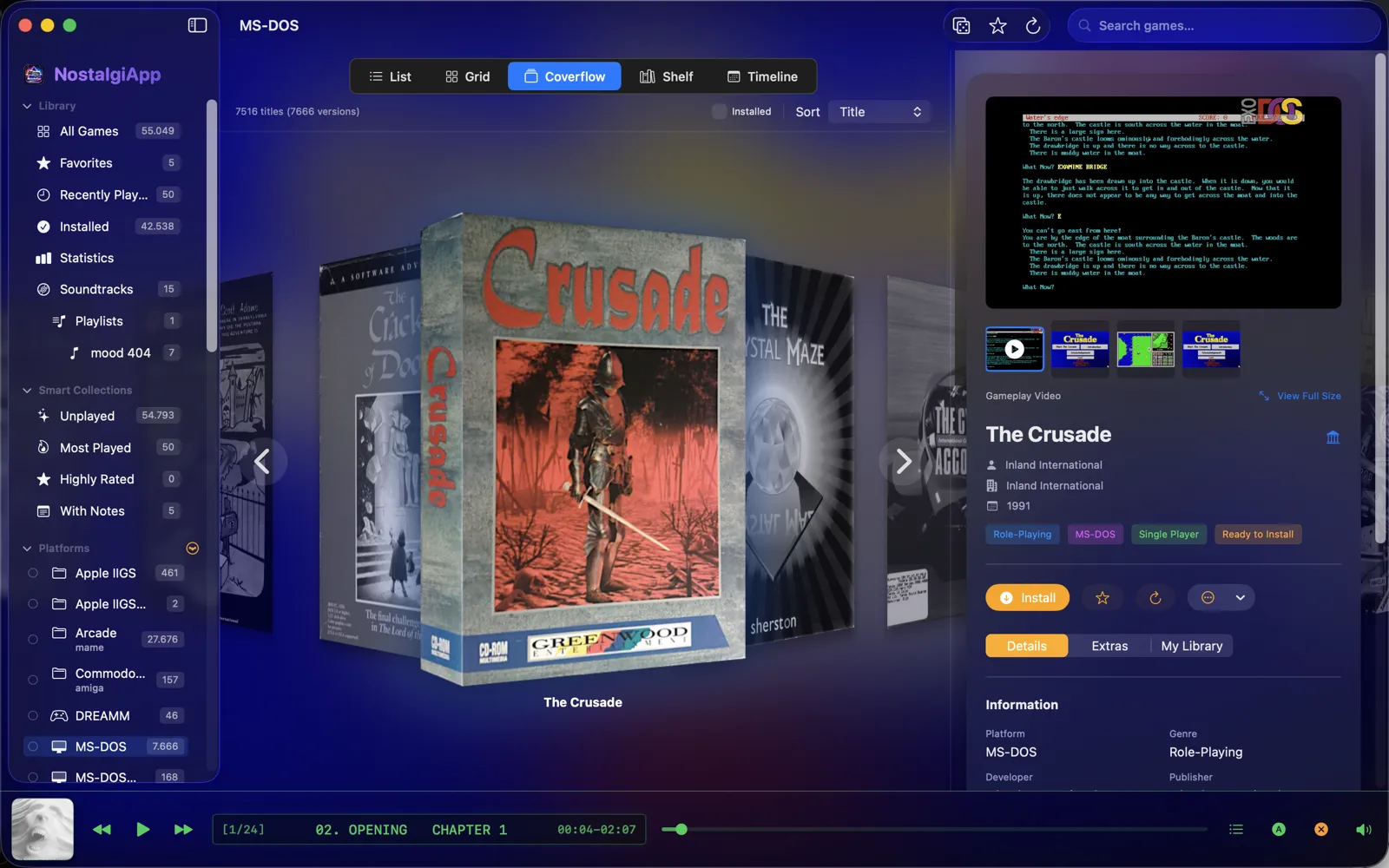
LaunchBox is Windows-only. There is no Mac port, no Mac plans. Running it via Wine/CrossOver/Parallels works, but the emulator integration breaks because all the binaries it expects are Windows .exe files. NostalgiApp is the Mac-native answer: native SwiftUI app, automatic eXoDOS / eXoScummVM / eXoWin9x import (the same collections LaunchBox supports), RetroArch integration for 60+ platforms, ScummVM and MAME natively, coverflow box-art browser, and €29.99 one-time pricing. Built specifically for Apple Silicon.
→ If you want LaunchBox on Mac in 2026, you want NostalgiApp.
Each one, honestly.
LaunchBox — the Windows king
Unified Games / Jason Carr's LaunchBox is the most popular retro game launcher on Windows, with deep eXoDOS/eXoScummVM/eXoWin9x import, BigBox arcade-cabinet UI, plugin marketplace, and a huge community. Free for the basic launcher; LaunchBox Premium (~$40 one-time) unlocks BigBox, plugins, and theme/views.
Mature ecosystem · BigBox controller-friendly UI · plugin marketplace · huge community · deep retro coverage
Windows-only. Wine/CrossOver runs the GUI but breaks emulator paths. No native Apple Silicon support, no plans for Mac port.
NostalgiApp — the Mac-native answer
Native macOS SwiftUI app built for Apple Silicon. Imports the exact same eXoDOS / eXoScummVM / eXoWin9x collections as LaunchBox, configures DOSBox / ScummVM / DREAMM / RetroArch automatically, and surfaces a coverflow box-art browser. Active development with weekly updates. €29.99 one-time Personal, €59.99 Family (3 Macs).
Native macOS · Apple Silicon · eXo collections work out of the box · weekly updates · 14-day free trial · one-time pricing
Smaller community than LaunchBox · no plugin marketplace yet · no BigBox-pixel-identical theme (but has Synthwave '84 with CRT scanlines)
Side by side.
Yes/No is rarely the whole story — we say "partial" or note caveats where they apply. LaunchBox figures reflect the Premium edition where features are gated. Last verified May 2026.
| Feature | NostalgiApp (Mac) | LaunchBox (Windows) |
|---|---|---|
| Platform & foundation | ||
| Native macOS app | Yes — SwiftUI, Apple Silicon | No — Windows-only |
| Apple Silicon native | Yes | No |
| Wine / CrossOver workaround | N/A — already native | Possible but breaks emulator paths |
| eXo collections | ||
| eXoDOS auto-import (7,000+ games) | Yes — with DOSBox config | Yes — the original |
| eXoScummVM auto-import | Yes — with ScummVM config | Yes |
| eXoWin9x auto-import | Yes | Yes |
| Per-game emulator config | Auto-written for macOS | Auto-written for Windows |
| Emulator coverage | ||
| RetroArch integration | Yes — auto-detect cores | Yes |
| ScummVM frontend | Yes | Yes |
| MAME frontend | Yes | Yes |
| DOSBox / DREAMM | Yes — native macOS DOSBox | Yes — Windows DOSBox |
| Modern consoles (PS3, Switch, Wii U) | Yes — via RetroArch / standalone | Yes |
| UI & experience | ||
| 3D coverflow / box-art browser | Yes — built-in | Yes — BigBox (Premium) |
| Themes & customization | 6 themes incl. Synthwave '84 + CRT scanlines | Theme marketplace (Premium) |
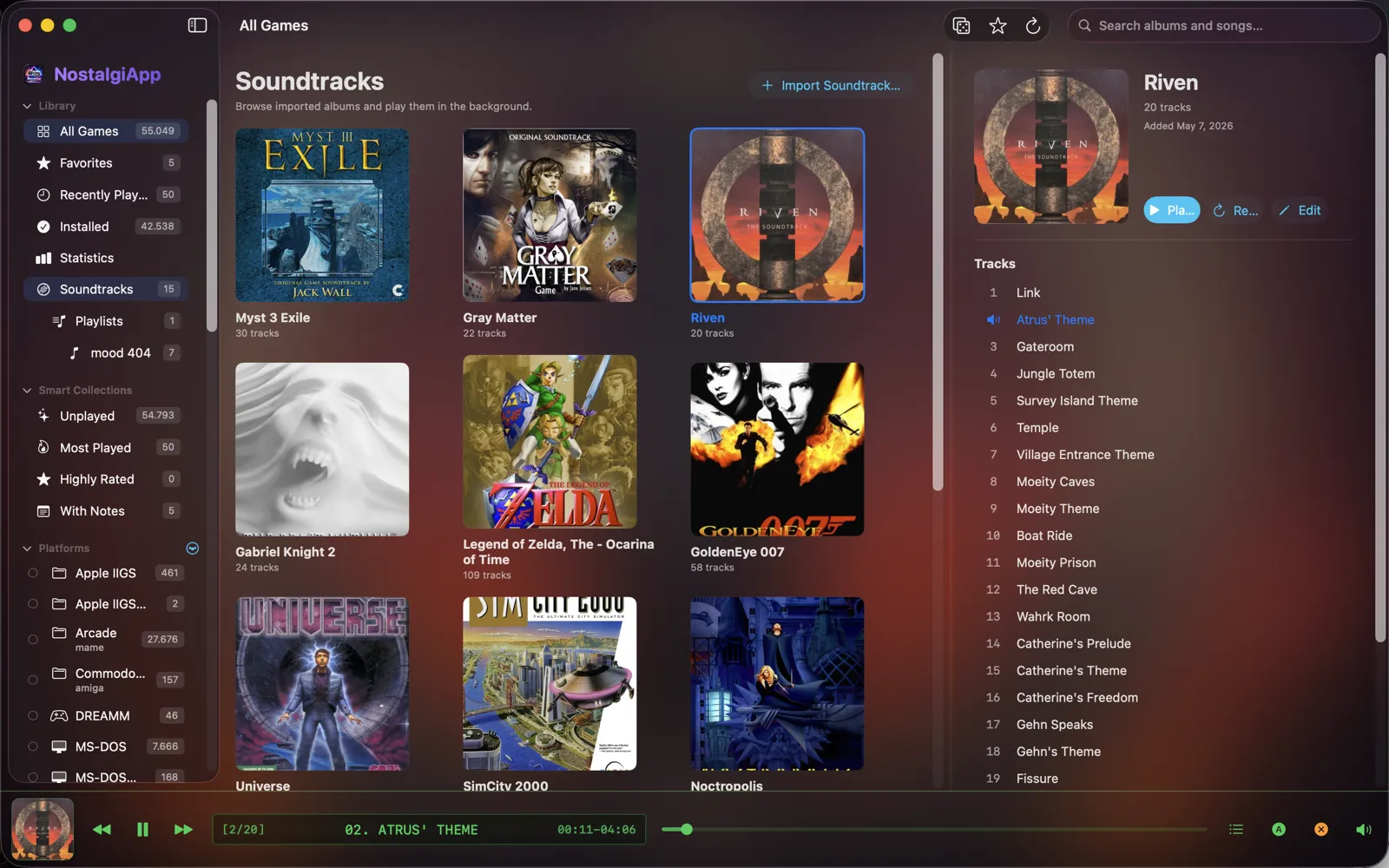
| Built-in soundtrack player | Yes — MP3/FLAC/OGG/M4A/WAV/AAC | Via plugin |
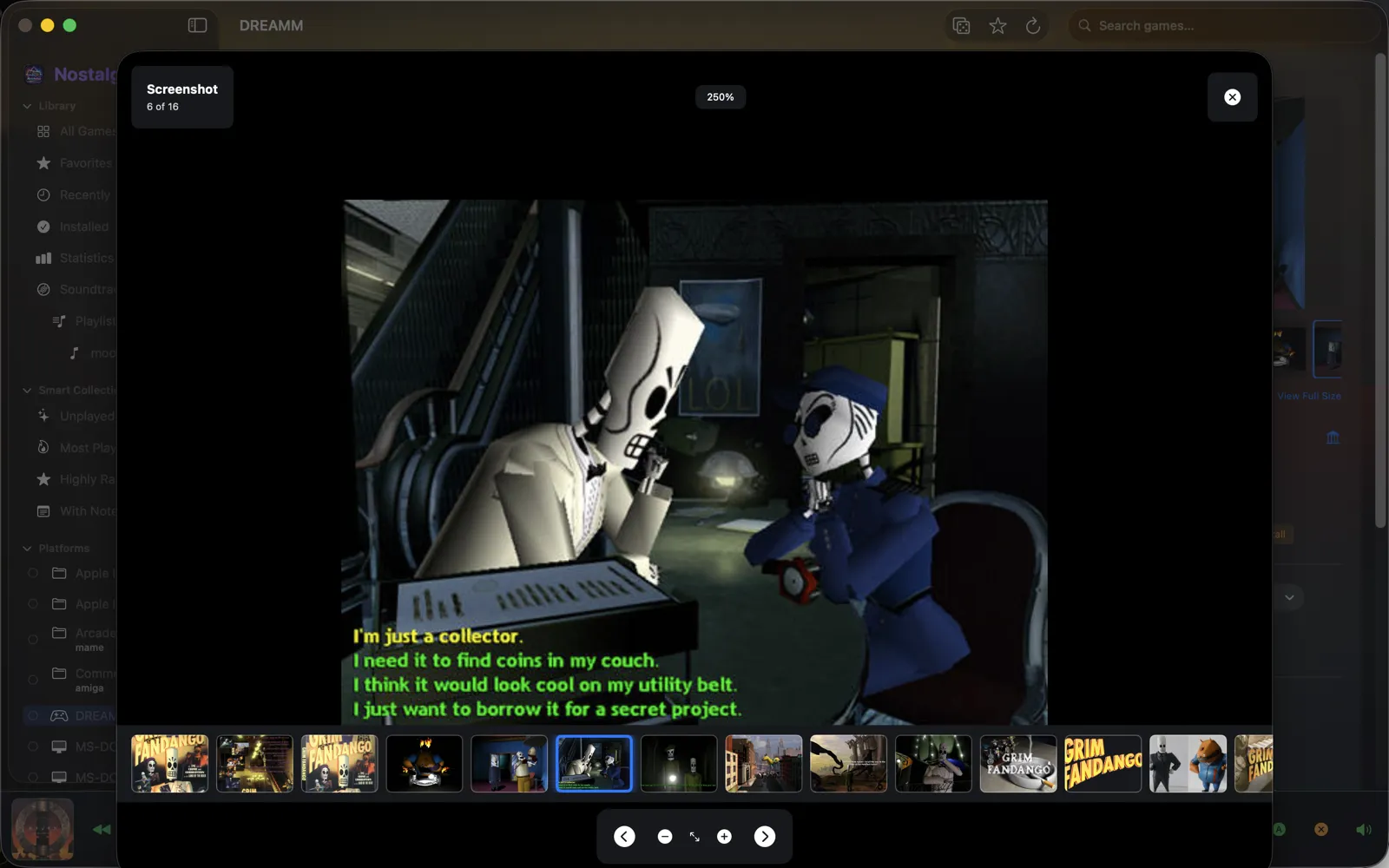
| Image viewer for box art / screenshots | Yes — full-screen with zoom/pan | Yes |
| Play tracking & statistics | Yes — built-in | Yes |
| Extensibility | ||
| Plugin marketplace | Not yet | Yes (Premium) — large ecosystem |
| Theme marketplace | Built-in themes only | Yes (Premium) |
| iCloud sync across Macs | Yes | N/A — Windows-only |
| Distribution & pricing | ||
| Free trial | 14 days, full features, no card | LaunchBox basic is free |
| Pricing model | €29.99 once / €59.99 Family · lifetime updates | Free + LaunchBox Premium ~$40 once |
| Active development (2026) | Weekly updates | Active |
Across every Mac launcher, at a glance
LaunchBox is Windows-only; the realistic Mac choices are NostalgiApp, OpenEmu, and EmulationStation. Here's how the four line up on the things that matter for a retro game launcher.
| Feature | NostalgiApp (Mac) | LaunchBox (Win) | OpenEmu (Mac) | EmulationStation |
|---|---|---|---|---|
| Native macOS app | Yes — SwiftUI, Apple Silicon | No — Windows only | Yes — older Cocoa | Cross-platform port |
| eXoDOS (7,000+ DOS games) | Yes — auto import + DOSBox config | Yes (Windows) | No | Manual setup |
| eXoScummVM & eXoWin9x | Yes | Yes | No | Manual |
| RetroArch integration (60+ platforms) | Yes — auto core select | Yes | Built-in cores | Yes |
| ScummVM frontend | Yes | Yes | No | Manual |
| MAME frontend | Yes | Yes | via core | Yes |
| Modern consoles (PS3, Switch) | Yes — via RetroArch | Yes | Caps at GameCube era | Yes |
| 3D coverflow box-art browser | Yes | Yes (BigBox) | Grid view | Carousel |
| Built-in soundtrack player | Yes | No | No | No |
| iCloud sync across Macs | Yes | N/A — Windows | No | No |
| Setup effort | Import & play | Guided (Windows) | Easy (consoles only) | Manual everything |
| Active development (2026) | Weekly updates | Active | Slowed | Community |
| Pricing | €29.99 once / €59.99 family | Free / Premium ~$40 once | Free / open source | Free / open source |
Prefer a one-on-one breakdown? See NostalgiApp vs OpenEmu and NostalgiApp vs EmulationStation.
Plugin and theme marketplaces. LaunchBox Premium has a decade-deep ecosystem of community plugins and themes. NostalgiApp doesn't have that yet — we ship the experience built-in instead of an extension store. Community size. LaunchBox has years of forum threads, Reddit posts, YouTube tutorials, and pre-built collections. NostalgiApp's community is younger. BigBox pixel-identical UI. If your goal is recreating an arcade cabinet experience exactly the way BigBox does it, LaunchBox is the only option (on Windows). NostalgiApp's coverflow + Synthwave '84 + CRT scanlines is in the same spirit but visually distinct.
How eXoDOS works on Mac.
The single biggest reason Mac users look for "LaunchBox for Mac" is eXoDOS — the 7,000+ game DOS collection. On Windows, LaunchBox does the heavy lifting. On macOS, NostalgiApp does the same, natively. No Wine, no manual DOSBox config files.
Get eXoDOS
Start with Quick Start (a 40 MB download that lists every eXoDOS game; each game downloads when you play it), download eXoDOS Lite or Full directly from inside NostalgiApp — or point the app at an existing eXoDOS collection you already downloaded.
Automatic import
NostalgiApp parses the eXoDOS metadata, imports box art and screenshots, and builds a searchable library — titles, genres, release years, the lot.
Per-game DOSBox config
For every game, NostalgiApp writes a DOSBox configuration automatically — mount points, CPU cycles, and mouse settings are all handled for you, tuned for native macOS DOSBox.
Click and play
Browse the coverflow, click a game, and it launches in DOSBox with the right settings. Hit a quirky title? Pull a community config fix shared by other NostalgiApp users.
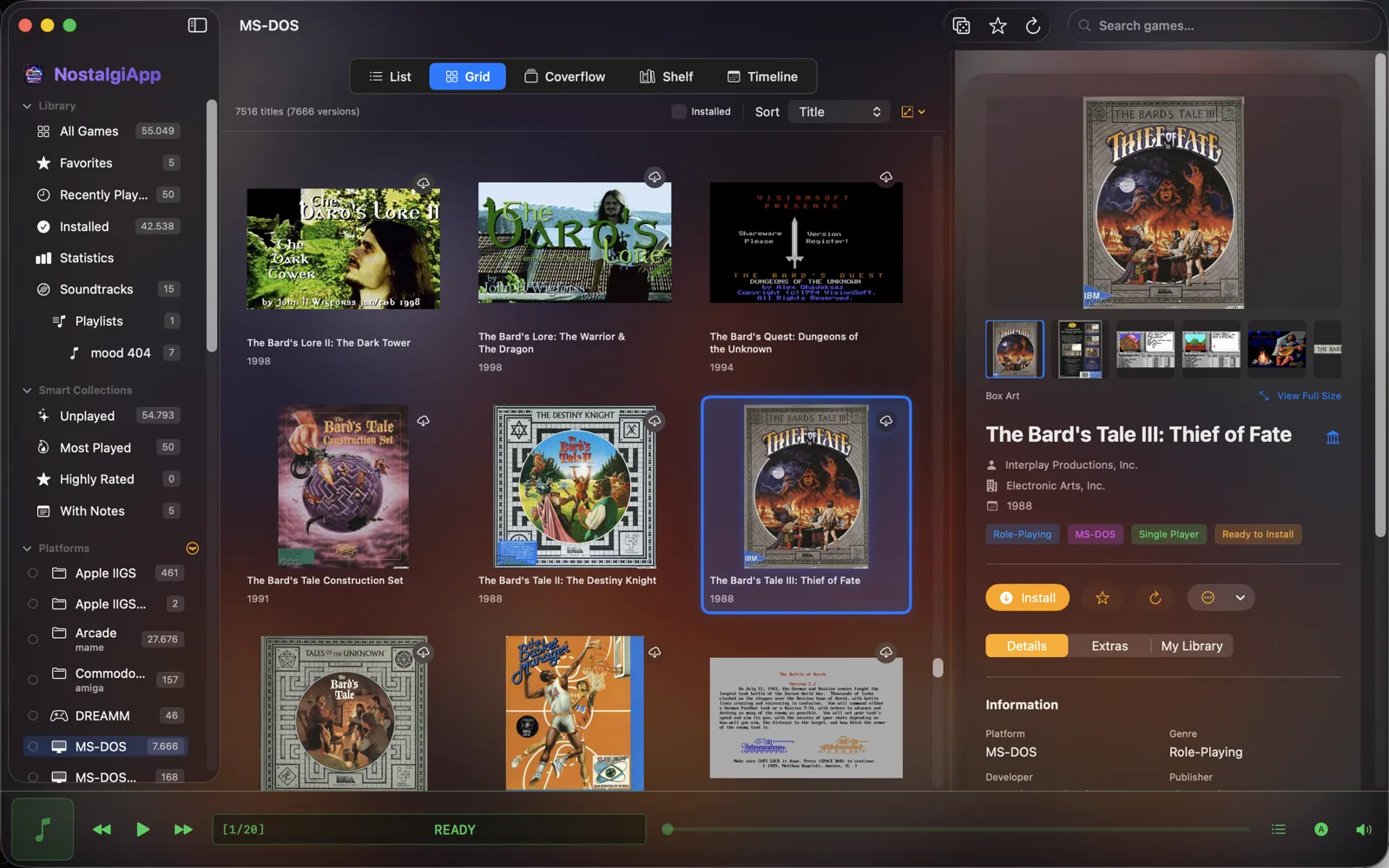
Same automatic flow applies to eXoScummVM (LucasArts and Sierra adventures via ScummVM) and eXoWin9x. Want the deeper walkthrough? Read the how it works page.
Watch it run.
A 2.5-minute tour of NostalgiApp — importing eXoDOS, browsing box art in coverflow, and launching DOS games on a Mac.

Pick by what you have.
You're on a Mac, full stop
You don't have a Windows machine and don't want one. Running Wine just to launch a launcher feels backwards. → NostalgiApp is built for you. It's the only native option that imports eXoDOS automatically.
You have a LaunchBox setup on PC
You already paid for LaunchBox Premium and have your library tuned on Windows. Stick with it on Windows. → NostalgiApp on the side for when you're on your MacBook and don't want to remote-desktop into your PC just to play Loom.
You live for the plugin ecosystem
LaunchBox's plugin marketplace is your jam — custom views, scrapers, BigBox themes. → LaunchBox Premium on Windows. NostalgiApp doesn't have a plugin store yet; we ship features built-in instead.
eXoDOS is your priority
You want to play the 7,000+ DOS games in eXoDOS without spending a weekend on DOSBox configs. → NostalgiApp on Mac, LaunchBox on Windows — both do this well. NostalgiApp is the only option if you're macOS-only.
Things people ask first.
Q. Is there a LaunchBox for Mac?
Q. Can I play eXoDOS on Mac?
Q. Does OpenEmu support eXoDOS?
Q. How do I play DOS games on Mac?
Q. What is the best LaunchBox alternative for Mac?
Q. Can I run LaunchBox on Mac via Wine or CrossOver?
Q. Does NostalgiApp have a BigBox-style theme?
Q. Does NostalgiApp support eXoDOS like LaunchBox does?
Q. How much does LaunchBox cost vs NostalgiApp?
Try the Mac-native answer.
14-day free trial, all features unlocked. No credit card required.